Finding a Bloc STAR provider

Ah, checkmate at the first step. I’ve been running test elections without specifying an ending time (less bother!). In that case, the steps above are all doable.

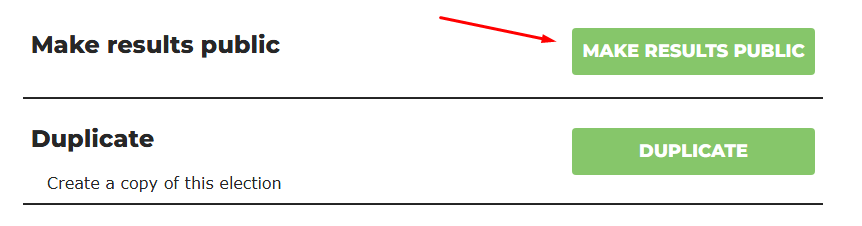
But if an ending time is specified, then the UI no longer offers an option to close the election. And when the “editable ballots” option is specified, the UI no longer offers an option to make the results public before the election ends (well, the button still shows up on the admin page, but clicking it just yields an error message: “Error making request: 400: Preliminary results are not permitted when ballot updating is enabled. (04b261ab)”.).

So they already anticipated my dirty tricks :smiley: . Best I can tell, for real elections we run (with editable ballots and specified end times), the admin UI offers no way for an admin to learn anything about results-so-far before the election ends (except for which email addresses have and have not yet cast ballots).

So the worst the admin can do is set up sock puppet email addresses and flood the system with “bullet votes” for their favorite candidate (give 5 stars to them, and leave the others blank).

1 Like

I should clarify that I didn’t just make that up. It’s deeply related to using a block cipher in “CTR mode” (use a search engine) for encryption/decryption. The short course is that if you change a single bit in the input to a crypto hash, about half the output bits will change. While deterministic, it “looks random”. Appending different scores in this way gives an excellent approximation to truly random 512-bit outputs, despite that the scores may follow a very regular pattern.

So I’m effectively using SHA-512 as a PRNG, although one that’s available and standardized across all modern languages’ easily available libraries, and of very high quality.

I think I can improve it a bit by adding a “salt”, an unpredictable prefix prepended to all hash inputs. For example, start each input with the total of all stars across all ballots. Like so:

total_stars = sum(score.values())
salt = hashlib.sha512(total_stars.to_bytes(4, "little"))

def makekey(cand):
    hasher = salt.copy()
    hasher.update(bytes(cand, encoding="utf-8"))
    hasher.update(score[cand].to_bytes(4, 'little'))
    return hasher.digest()

permuted = sorted(score, key=makekey)

And I’m happy now :smiley:. Here’s the final version. Seems to work very well, and statistical testing confirms, e.g., that all 64 bytes of the hashes take on values uniformly distributed across range(256) (according to chi-squared tests).

import hashlib

# Return a bytearray expressing int `n` as a little-endian integer,
# followed by 4 zero bytes. `n >= 0` is required.
def int2bytes(n):
    assert n >= 0
    result = bytearray()
    while n:
        result.append(n & 0xff)
        n >>= 8
    result.extend(bytes(4))
    return result

# `sccre` is a dict mapping a candidate name (Unicode string)
# to the total number of stars that candidate received.
total_stars = sum(score.values())
salt = hashlib.sha512(int2bytes(total_stars))

def makekey(cand):
    hasher = salt.copy()
    hasher.update(bytes(cand, encoding="utf-8"))
    hasher.update(int2bytes(score[cand]))
    return hasher.digest()

permuted = sorted(score, key=makekey)

@ArendPeter, best I can tell, most of this translates easily to JavaScript, and the primary implementations already offer SHA-512 as library functions. Which support .update() functionality, but apparently not .copy(). To get the same effect, you need to save the bytes generated for total_stars, and inside makekey() start each new computation with those bytes. That’s easy.

The hardest part may in fact be emulating Python’s key= sort option. JavaScript’s sort() doesn’t appear to offer that. Find a developer to whom the phrase “decorate sort undecorate” makes instant sense, and they can do that in their sleep :wink:.

This differs from @larry’s approach in some key respects:

  • Much less code.
  • Outcomes should be identical across all languages. utf-8 and SHA-512 are crisply defined, universal standards.
  • The number of ballots is irrelevant to running time and RAM use. It’s the number of candidates that drive those, and that’s never going to get “large”.
  • .In return, different collections of ballots can be expected to result in the same permutations. But we’re not aiming here for some kind of message authentication code, just trying to make the permutation un-guessable without access to the score dict. The score dict is the only input here.

@ArendPeter, ChatGPT-5 suggested this translation to Node.js. Take with a big grain of salt. While I’m sure it’s all doable, I don’t know enough to say for sure. I did spot one logical error in its first attempt, which it cheerfully acknowledged and repaired. However, it was the same logical error I’ve seen humans make in trying to explain how to emulate Python’s hasher.copy() in Javascript.

Some of this could obviously made more efficient, but I don’t care about that. And, as the bot noted, it won’t work for “giant ints” (but those are irrelevant here).

const crypto = require('crypto');

// Convert nonnegative integer n to little-endian bytes,
// followed by 4 zero bytes. Assumes n fits in JS Number safely.
function int2bytes(n) {
  if (n < 0) throw new Error("n must be nonnegative");
  const bytes = [];
  let x = n >>> 0; // use unsigned operations for low bits
  // Use a loop on the full Number (not just 32-bit) for correctness.
  x = n;
  while (x > 0) {
    bytes.push(x & 0xff);
    x = Math.floor(x / 256);
  }
  // append 4 zero bytes
  bytes.push(0, 0, 0, 0);
  return Buffer.from(bytes);
}

// Example score object: { "Alice": 5, "Bob": 3, "Charlie": 7 }
const totalStars = Object.values(score).reduce((a, b) => a + b, 0);

// Equivalent to: hasher = sha512(); hasher.update(int2bytes(totalStars));
function makeKey(cand) {
  const h = crypto.createHash('sha512');
  h.update(int2bytes(totalStars));           // same initial bytes as Python salt
  h.update(Buffer.from(cand, 'utf8'));       // candidate name bytes
  h.update(int2bytes(score[cand]));          // candidate's star count bytes
  return h.digest();
}

// Sort keys by their SHA-512 digest (lexicographic byte order)
const permuted = Object.keys(score).sort((a, b) => {
  const ka = makeKey(a);
  const kb = makeKey(b);
  return ka.compare(kb);
});

console.log(permuted);

Wow - something worked! :wink:. I installed Node.js and ran the code the chatbot gave. Two changes: changed the final line to

console.log(permuted.join(""));

and gave it a score dict with 26 candidates (A through Z):

`score` dict literal
score = {'A': 1,
 'B': 2,
 'C': 3,
 'D': 4,
 'E': 5,
 'F': 6,
 'G': 7,
 'H': 8,
 'I': 9,
 'J': 10,
 'K': 11,
 'L': 12,
 'M': 13,
 'N': 14,
 'O': 15,
 'P': 16,
 'Q': 17,
 'R': 18,
 'S': 19,
 'T': 20,
 'U': 21,
 'V': 22,
 'W': 23,
 'X': 24,
 'Y': 25, 'Z': 26};

And made the corresponding two changes to my Python code. The output of both matched on the first try - yay!

GEAULPSRMZYWXQBTFKNOIHVDJC

Change Z’s score from 26 to 27, and it’s very different

HIFAEDGSBPUNTMCWVLQZJYORXK

That’s thanks to adding “a salt”: the total of all stars given affects every candidate’s key then.

So, ya, apart from possible Unicode issues I’m unaware of (but hope that using UTF-8 will sidestep), we can get very high quality pseudo-random, but deterministic, permutations with simple code that works the same way under Python and Node.js. And any other language that supports UTF-8 and SHA-512.

Note: the order of lines in the dict literal doesn’t matter either. nor whether or not the language preserves insertion order when iterating over the dict. I was careful to stick to operations that are associative and commutative.

I just had a long and fascinating session with a chatbot, during which we convinced each other that Unicode issues don’t matter here: it’s guaranteed that two names that display differently to human eyes must map to different UTF-8 byte sequences. Possible issues are in the other direction: two names that display the same may map to different UTF-8 bytestrings (due to things like surrogate pairs).

But if two names display the same, voters couldn’t tell them apart on a ballot, so that’s not going to happen in this context (except by election-killing accident).

Nothing in the design relies on having a “faithful” representation of the names. To make SHA-512 work to full effect here, it’s necessary and sufficient merely that different names map to different UTF-8 encodings. And “visually distinct” is enough for that.

1 Like

Fudge! Always, always, test, test, test. Some large runs overnight convincingly showed that all permutations are not equally likely. The underlying problem appears to be my use of the sum of all scores as a “salt”. By the central limit theorem, regardless of the underlying score distribution, sums tend to follow a normal distribution. In other words, some salts are more likely than others, and that bias has consequences.

I’ll shut up now until I can out-think it, and verity by testing first.

I have a promising approach now, but won’t go on about it here. If you care enough, you can follow developments on a new repo:

There’s no code there yet, just a high-level README and OS LICENSE. I won’t populate it until I have code (both Python and Node) that passes tough tests, along with a test harness that compares results for random score dicts between the Python and JavaScript implementations.

When the code is there, it would be good if a native JavaScript speaker cleaned up that code. It’s “chatbot JavaScript” now, which appears to work fine, but I have no idea whether it’s idiomatic.

EDIT:

That looks to be done now. “Names” are generated from a subset of about 155K “printable” Unicode characters, and the Python and Node implementations delivered identical results across some tens of thousands of randomized cases.

And chi-squared tests confirmed that the Python implementation’s distribution of permutations is indistinguishable from what a “truly random” algorithm would do, for number of candidates in 2 through 10 inclusive. Going beyond that would take heroic efforts, because 11! = 39_916_800, and we need 10x that to expect to see each possible permutation about 10 times each (which is nearing the low end of what a chi-squared test needs to have high confidence in).

We will certainly exceed 100 voters. How will the override be handled?

1 Like

Tag Arend (@ArendPeter) and hope he’s online and notices :smile:.

Else, when we go to the UI to add the list of voters, it tells us:

Free tier elections are limited to 100 voters, email us at elections@equal.vote for an override

You could point them to the message here where Arend said we’d get a free pass:

@ewdurbin Yes, I can add an override. Just send me the election id and the number of voters you’d like. You can send them here or email me at arendpeter@equal.vote (or elections@equal.vote either is fine).

Also @tim.one sorry I’ve been behind on the messages, I’ve been meaning to catch up.

1 Like

Not a problem! Still no rush, and my latest idea for “secure tiebreaking” evolved rapidly and went through several iterations. Including the latest, to make the Node.js code “more idiomatic” :smile:. It all appears very solid now.

Updates to the PEP are here. I will configure the election tomorrow and notify BetterVoting to request an override for > 100 voters.

4 Likes

BTW, I’m most concerned about that the scoring views ballots that give all candidates the same number of stars as “abstentions”. They’re not counted in the “number of voters” displayed when the election ends, and the stars they gave are ignored in the detailed results. I’ve never seen that in any description of how STAR voting works, and @larry’s library doesn’t do that either. All ballots should be counted.

It makes no difference to who wins, but details matter, and, as already stated, can have consequences beyond just “who wins”.

2 Likes

I have prepared the election in BetterVoting.com, and also ran through a test by duplicating the election and sending it to sock puppet accounts for voting.

I have emailed Arend and co with the following:

  • Request for 106+ allowed voters for our election, including the ID
  • A note regarding the “Cast test ballot” functionality not working
  • A note regarding viewing/publication of results being impossible for a closed election if it was configured with editable ballots

Voter limit is a hard blocker, and we cannot commence the election without this.

Casting of test ballot can be worked around by duplicating and sockpuppeting as demonstrated, so is not a hard blocker.

Failure to publish results is a HARD blocker, but can be worked around by disabling editable ballots. If I do not hear back from BetterVoting team with > 12 hours before election is scheduled to open I will rollback the editable voting setting.

2 Likes

Fudge. It worked last week :frowning: I reproduced your problem just now, though.

Here I’m unsure - the test I election I created won’t close until about another hour passes. It’s always been the case that results for a closed election are not viewable by the public until the admin affirmatively makes them public after the election ends. You always had to go to the Admin UI and click a button to make them visible to the public after the election ends. I noted that here last year already, long before editable ballots existed, and at least week it was still so (and with editable ballots).

So, is this just a step you’re missing? Can’t guess from here. I’ll know more in an hour. Note that the button to make the results visible doesn’t exist in the Admin UI before the election closes.

Please don’t do that unless @ArendPeter says there’s no alternative. It’s not their fault that we waited until Thanksgiving to run a serious mock election :wink:. They run the software and have root access to their computers, and in theory can do anything at all. My bet is that even if there is a new bug in making results available, they can tweak our election after it starts to repair it before our election ends.

Tagging @ArendPeter.

OK, my election ended, and clicking the View Results button on the Admin page has no apparent effect. However, if I click on one of my sock puppets’ email ballot receipts “update your ballot” links, it brings up a page with a “View Results” button that does show the results. So something “is off” there, but results are visible to my sock puppets anyway - just not to the election admin :rofl:.

And there is indeed a new button on the Admin page:

Click on that, and nothing changes except that the new button changes to “Make Results Private”. Clicking the Admin UI’s “View Results” button still has no visible effect, and links sent to sock puppets still bring up pages with “View Results” buttons that work.

Is any/all/none of that true for your mock election too?

Definitely flaky for now, but not a hard blocker to me. For me the functionality is still there and working, but the Admin UI has regressed in this respect.

I have emailed Arend and co with the following:

  • Request for 106+ allowed voters for our election, including the ID

  • A note regarding the “Cast test ballot” functionality not working

  • A note regarding viewing/publication of results being impossible for a closed election if it was configured with editable ballots

Thanks for the email, I’ve followed up on each of them and everything should be resolved now.

if I click on one of my sock puppets’ email ballot receipts “update your ballot” links, it brings up a page with a “View Results” button that does show the results.

huh, that’s also weird. I’m checking on this.

Seeing as you’re finding new issues despite us also running an internal mock election, we’ll probably instate our code freeze a little sooner than previously planned to ensure everything goes smoothly for your election.

BTW, I’m most concerned about that the scoring views ballots that give all candidates the same number of stars as “abstentions”.

This was a deliberate design decision, but multiple people have raised concerns so it could be worth reconsidering. I’ll bring this back up for discussion in the team.

2 Likes

FYI, suspecting that maybe this was because my own email address was one of my “sock puppets” and I was still logged in as an admin, I latter logged off and tried again. No difference, though! The sock puppets could still view the results. To be very clear, this is all after the election ended. There was no possibility for anyone to view partial results before the election ended.

Users always do things nobody anticipates, in weird and wonderful ways :wink:. WRT viewing results, it’s not a possibility for us while the election is in progress. We only care that “it works” when the election ends.

BTW, I’m most concerned about that the scoring views ballots that give all candidates the same number of stars as “abstentions”.

I realized it had to have been a deliberate decision, since it’s extra work to code, but doesn’t change any outcomes.

Can only say it’s unfathomable to me :frowning: What possible benefit could there be to anyone to not count a ballot? It’s still in the ballot downloads, and I can’t imagine that anyone who read about STAR and write scoring software would think “oh - if a ballot gives the same rating to everyone, I’ll just pretend it doesn’t exist”. Extra complication, but to what end?

If it comes up in our current election, I’ll have to edit the CSV download to remove such ballots, else @larry’s library won’t report the same star counts. Easy enough to do - but why? :wink:.

Regardless, thanks again for all your help!

1 Like

For those interested, the root cause of the button failures was because we accidentally imported Link from the wrong spot while refactoring imports. That caused a handful of buttons on the admin page to silently fail :face_exhaling:.

-import { Link, useNavigate } from 'react-router-dom';
+import { Link, Typography } from "@mui/material";

Anyway this isn’t meant to be an excuse. It’s a good reminder for us on how seemingly minor changes (like refactoring imports) can have bigger impacts and it highlights a gap in our testing process.

All the buttons should be working again in the UI.

4 Likes