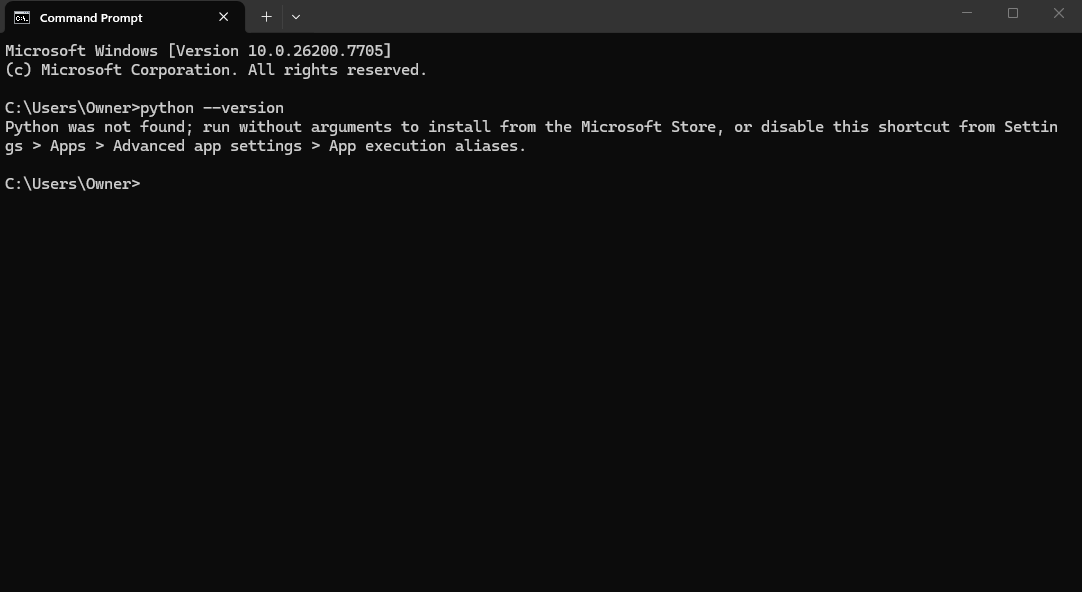
i downloaded python so i could download pytorch and then download diff singer (a bit of an extension, i know), but when i tried to download pytorch, it the terminal said it couldn’t find pip, which should be downloaded with each version of python, apparently, so i also checked python, and it said it couldn’t find python, despite having downloaded it about 3 times with three different versions. any ideas of what i can do to solve this??
edit: i’m also able to open python with no issues, and tried the stuff to download pip to no avail
Type Add or Remove in the bottom search bar in your terminal (I am assuming you are using Windows else do the equivalent in your operating system). Scroll until you find the Python app. Uninstall it.
Reinstall it by going to Python.org. Go to Downloads and install the latest version. Once downloaded, run the installer executable. Make sure to click Add Python to PATH or equivalent.
Have you restarted your computer after installing Python? In most Windows installations it is the easiest way to reload PATH (that is how your computer knows where to look for programs you type in the terminal), so if you don’t restart, it is likely that Python is installed, however Windows Terminal can’t find it since it hasn’t refreshed the PATH.
I would suggest following the suggestion by Paul (in the post above me) and restarting. Let me know if it resolves your issue.