
This error, which I’ve never seen before (or maybe because I forgot), appears when I tried to uninstall Python. When I clicked OK, the similar error appears (and it appears again and again everytime I clicked OK). However, I couldn’t find the path mentioned here. Is it the error with Python itself or I have something to do?

On Windows error 5 means : Access denied.
So the account you are running the uninstall with does not have sufficient permissions for at least some of the tasks.
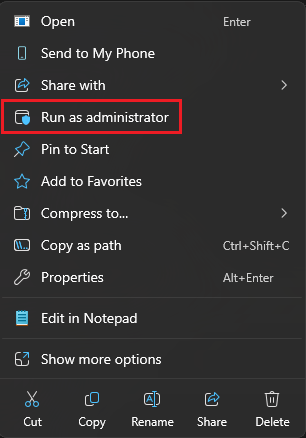
Try a “Run as Admin” for the uninstall if you are allowed that.
I’ve searched the path even with Hidden Items activated, but I couldn’t find Config.Msi in D: as I mentioned previously.
I’m not sure whether you’ll be happy or not after reading this, but the error doesn’t appear continuously whenever I clicked OK. That is, after many times clicking the same OK button, the similar error doesn’t appear anymore, and the uninstall was finally finished. Sorry if I haven’t follow your steps.
P.S.: Indeed, I wanted to try to follow your steps you’ve gave to me, but when I reinstalled it (with ‘Install Now’ option) and uninstalled it, the uninstall goes smoothly with no error(s). Is the ‘Error: 5’ only appears when uninstalling Python installed in custom directory?