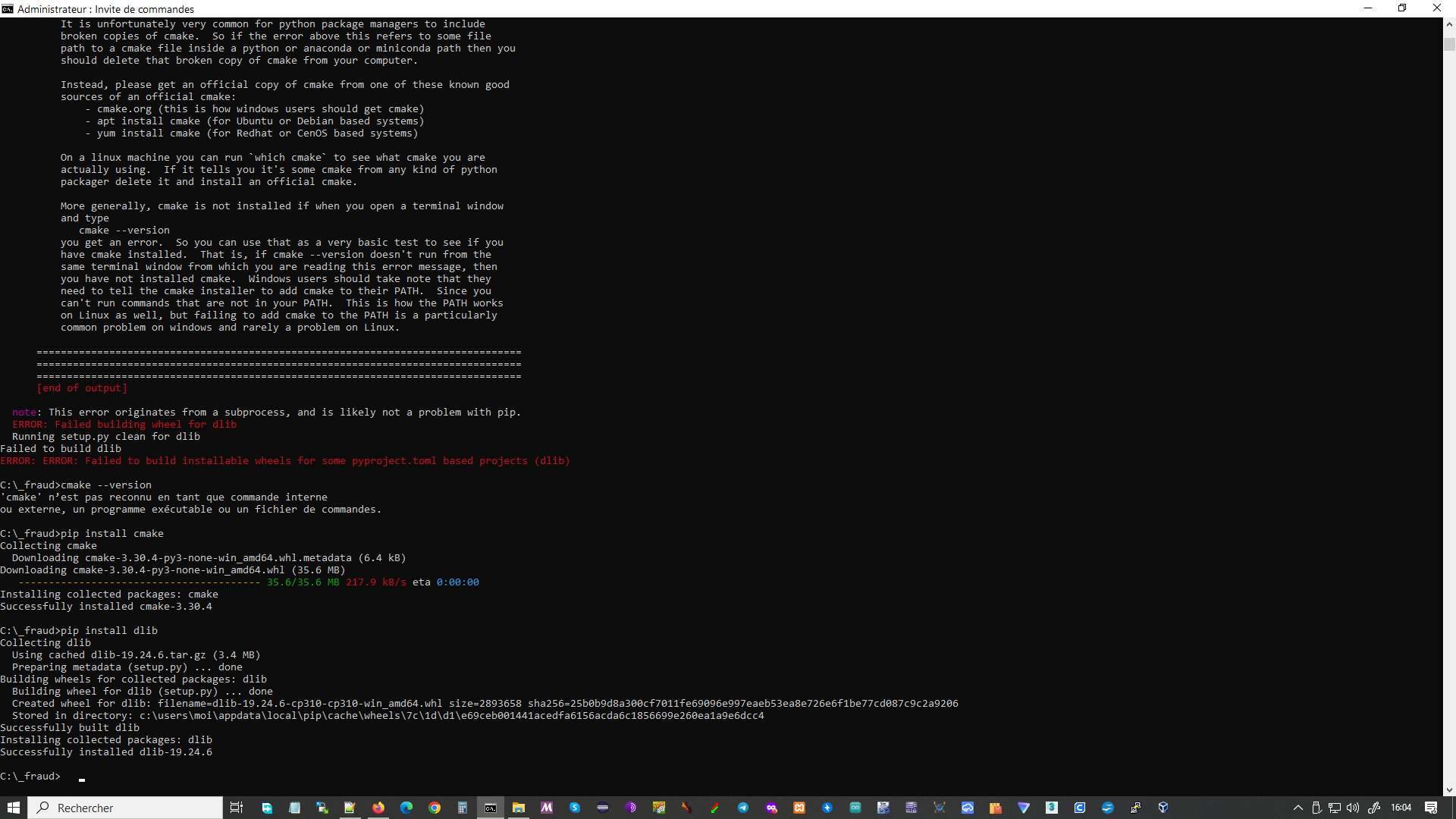
pip install dlib
Collecting dlib
Using cached dlib-19.24.1.tar.gz (3.2 MB)
Preparing metadata (setup.py) … done
Building wheels for collected packages: dlib
Building wheel for dlib (setup.py) … error
error: subprocess-exited-with-error
× python setup.py bdist_wheel did not run successfully.
│ exit code: 1
╰─> [70 lines of output]
running bdist_wheel
running build
running build_py
running build_ext
C:\Users\deepa\AppData\Local\Temp\pip-install-xprypop7\dlib_2fd003071956475abe739e0d5685bff1\setup.py:129: DeprecationWarning: distutils Version classes are deprecated. Use packaging.version instead.
if LooseVersion(cmake_version) < ‘3.1.0’:
Building extension for Python 3.11.3 (tags/v3.11.3:f3909b8, Apr 4 2023, 23:49:59) [MSC v.1934 64 bit (AMD64)]
Invoking CMake setup: ‘cmake C:\Users\deepa\AppData\Local\Temp\pip-install-xprypop7\dlib_2fd003071956475abe739e0d5685bff1\tools\python -DCMAKE_LIBRARY_OUTPUT_DIRECTORY=C:\Users\deepa\AppData\Local\Temp\pip-install-xprypop7\dlib_2fd003071956475abe739e0d5685bff1\build\lib.win-amd64-cpython-311 -DPYTHON_EXECUTABLE=C:\Users\deepa\AppData\Local\Programs\Python\Python311\python.exe -DCMAKE_LIBRARY_OUTPUT_DIRECTORY_RELEASE=C:\Users\deepa\AppData\Local\Temp\pip-install-xprypop7\dlib_2fd003071956475abe739e0d5685bff1\build\lib.win-amd64-cpython-311 -A x64’
– Building for: NMake Makefiles
CMake Error at CMakeLists.txt:5 (message):
    !!!!!!!!!!!!!!!!!!!!!!!!!!!!!!!!!!!!!!!!!!!!!!!!!!!!!!!!!!!!!!!!!!!!!!!!!!!!!!!


    You must use Visual Studio to build a python extension on windows.  If you
    are getting this error it means you have not installed Visual C++.  Note
    that there are many flavors of Visual Studio, like Visual Studio for C#
    development.  You need to install Visual Studio for C++.


    !!!!!!!!!!!!!!!!!!!!!!!!!!!!!!!!!!!!!!!!!!!!!!!!!!!!!!!!!!!!!!!!!!!!!!!!!!!!!!!


  -- Configuring incomplete, errors occurred!
  Traceback (most recent call last):
    File "<string>", line 2, in <module>
    File "<pip-setuptools-caller>", line 34, in <module>
    File "C:\Users\deepa\AppData\Local\Temp\pip-install-xprypop7\dlib_2fd003071956475abe739e0d5685bff1\setup.py", line 222, in <module>
      setup(
    File "C:\Users\deepa\AppData\Local\Programs\Python\Python311\Lib\site-packages\setuptools\__init__.py", line 107, in setup
      return distutils.core.setup(**attrs)
             ^^^^^^^^^^^^^^^^^^^^^^^^^^^^^
    File "C:\Users\deepa\AppData\Local\Programs\Python\Python311\Lib\site-packages\setuptools\_distutils\core.py", line 185, in setup
      return run_commands(dist)
             ^^^^^^^^^^^^^^^^^^
    File "C:\Users\deepa\AppData\Local\Programs\Python\Python311\Lib\site-packages\setuptools\_distutils\core.py", line 201, in run_commands
      dist.run_commands()
    File "C:\Users\deepa\AppData\Local\Programs\Python\Python311\Lib\site-packages\setuptools\_distutils\dist.py", line 969, in run_commands
      self.run_command(cmd)
    File "C:\Users\deepa\AppData\Local\Programs\Python\Python311\Lib\site-packages\setuptools\dist.py", line 1244, in run_command
      super().run_command(command)
    File "C:\Users\deepa\AppData\Local\Programs\Python\Python311\Lib\site-packages\setuptools\_distutils\dist.py", line 988, in run_command
      cmd_obj.run()
    File "C:\Users\deepa\AppData\Local\Programs\Python\Python311\Lib\site-packages\wheel\bdist_wheel.py", line 343, in run
      self.run_command("build")
    File "C:\Users\deepa\AppData\Local\Programs\Python\Python311\Lib\site-packages\setuptools\_distutils\cmd.py", line 318, in run_command
      self.distribution.run_command(command)
    File "C:\Users\deepa\AppData\Local\Programs\Python\Python311\Lib\site-packages\setuptools\dist.py", line 1244, in run_command
      super().run_command(command)
    File "C:\Users\deepa\AppData\Local\Programs\Python\Python311\Lib\site-packages\setuptools\_distutils\dist.py", line 988, in run_command
      cmd_obj.run()
    File "C:\Users\deepa\AppData\Local\Programs\Python\Python311\Lib\site-packages\setuptools\_distutils\command\build.py", line 131, in run
      self.run_command(cmd_name)
    File "C:\Users\deepa\AppData\Local\Programs\Python\Python311\Lib\site-packages\setuptools\_distutils\cmd.py", line 318, in run_command
      self.distribution.run_command(command)
    File "C:\Users\deepa\AppData\Local\Programs\Python\Python311\Lib\site-packages\setuptools\dist.py", line 1244, in run_command
      super().run_command(command)
    File "C:\Users\deepa\AppData\Local\Programs\Python\Python311\Lib\site-packages\setuptools\_distutils\dist.py", line 988, in run_command
      cmd_obj.run()
    File "C:\Users\deepa\AppData\Local\Temp\pip-install-xprypop7\dlib_2fd003071956475abe739e0d5685bff1\setup.py", line 134, in run
      self.build_extension(ext)
    File "C:\Users\deepa\AppData\Local\Temp\pip-install-xprypop7\dlib_2fd003071956475abe739e0d5685bff1\setup.py", line 171, in build_extension
      subprocess.check_call(cmake_setup, cwd=build_folder)
    File "C:\Users\deepa\AppData\Local\Programs\Python\Python311\Lib\subprocess.py", line 413, in check_call
      raise CalledProcessError(retcode, cmd)
  subprocess.CalledProcessError: Command '['cmake', 'C:\\Users\\deepa\\AppData\\Local\\Temp\\pip-install-xprypop7\\dlib_2fd003071956475abe739e0d5685bff1\\tools\\python', '-DCMAKE_LIBRARY_OUTPUT_DIRECTORY=C:\\Users\\deepa\\AppData\\Local\\Temp\\pip-install-xprypop7\\dlib_2fd003071956475abe739e0d5685bff1\\build\\lib.win-amd64-cpython-311', '-DPYTHON_EXECUTABLE=C:\\Users\\deepa\\AppData\\Local\\Programs\\Python\\Python311\\python.exe', '-DCMAKE_LIBRARY_OUTPUT_DIRECTORY_RELEASE=C:\\Users\\deepa\\AppData\\Local\\Temp\\pip-install-xprypop7\\dlib_2fd003071956475abe739e0d5685bff1\\build\\lib.win-amd64-cpython-311', '-A', 'x64']' returned non-zero exit status 1.
  [end of output]
note: This error originates from a subprocess, and is likely not a problem with pip.
ERROR: Failed building wheel for dlib
Running setup.py clean for dlib
Failed to build dlib
ERROR: Could not build wheels for dlib, which is required to install pyproject.toml-based projects
PS C:\Users\deepa>