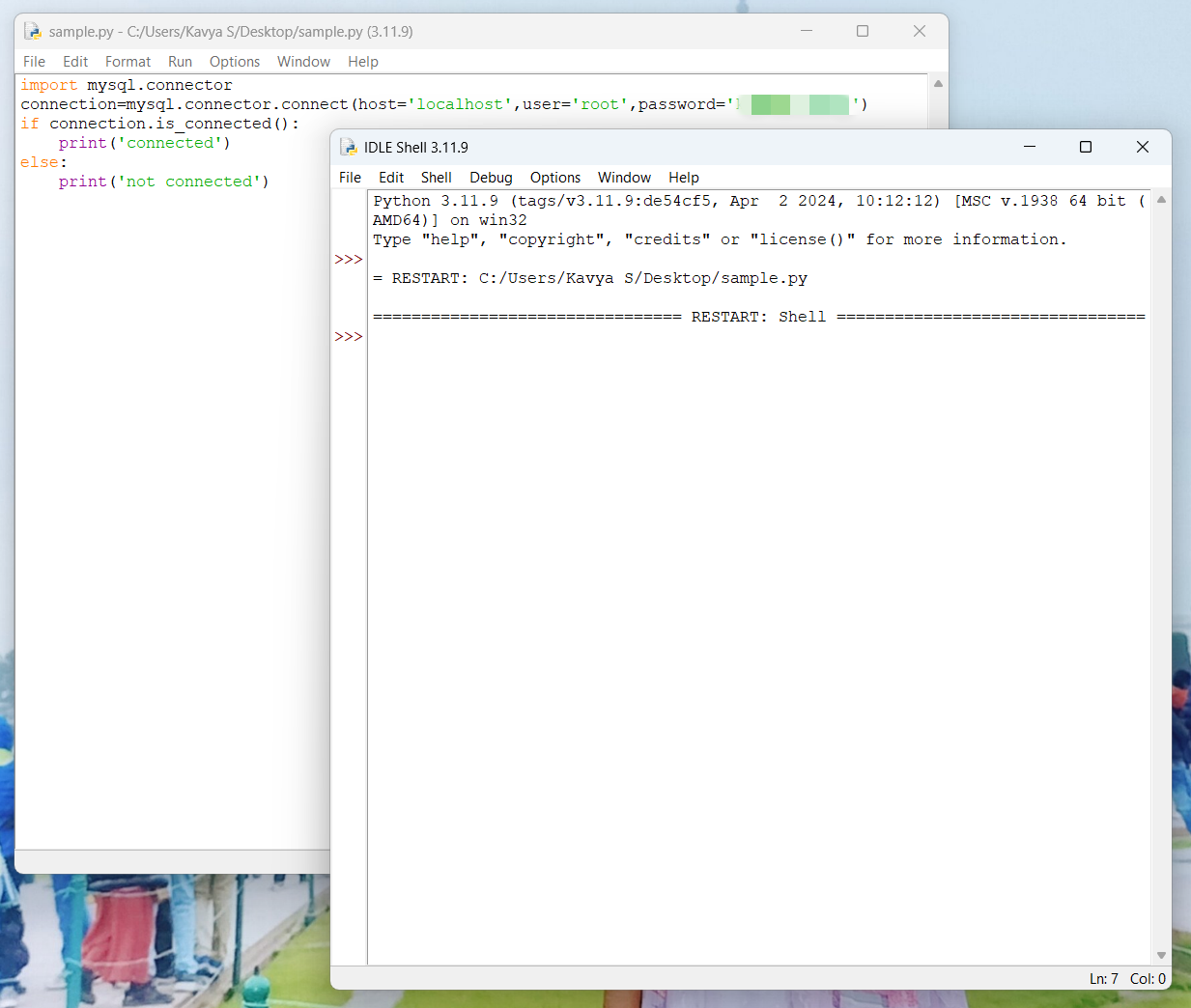
I am trying to connect a MySQL database with Python. I have already installed the MySQL connector using pip and imported it in my program.
However, when I try to establish the connection using the connect() function, the program crashes in Python IDLE. Instead of showing an error message or output, the shell simply shows “Restart Shell” and the program stops.
I have tried programs like selecting,updating, inserting, modifying databases and there is no output or error message but just the “restart shell” message.
I have also tried it in various python versions and still having the same problem.
Because of this, I am unable to see what the problem is or why the connection is failing.
What I have done:
Installed MySQL connector using pip
Imported mysql.connector in my Python program
Tried connecting using the connect() function
Environment:
Python version: 3.11.9 (also tried 3.10 and 3.14)
MySQL version: 8.0.45
Operating System: Windows 11
I would appreciate any help or suggestions on why the shell is restarting and how to fix this issue.
Ofcourse I restarted it and still having the same problem. I get the output when I use print() before establishing the connection using connect() function. Even after importing the package, i get the output. But once I establish the connection, I only get “ RESTART : SHELL”.
Which port of localhost does it try to connect to? Does it implicitly have one already (as a default arg) or does that need to come as part of host? Perhaps something else might be running on that port?!
I was able to connect successfully using other database clients to localhost on port 3306. I also ran SHOW DATABASES; and it returned the database list. So, the MySQL server is working correctly. I don’t know what’s the problem then : (
Great stuff. I don’t notice a port in the connection args, in your screen shot of sample.py. Are you sure 3306 is the default in the whichever connection library you’re using?
Otherwise, I would say the next step is to eliminate IDLE from the equation. Run sample.py from the command line and post the output here.
In CommandPrompt (CP), first run py -i sample.py in .../Desktop to see is connect is working with Win 11.
If yes, and you still want to try IDLE, run py -m idlelib to start IDLE in CP. Then load sample.py in editor and hit F5 as before. If you get the same crash as before, see if any error messages show up in CP. See “Running user code” in the IDLE Doc (accessible on its Help menu) for possible issues. Please report here whatever happens.