Our IT deopartment is looking for documentation on how to install Python on our IDE Visual Studio 2026. Any insights please.  Peace Shawn
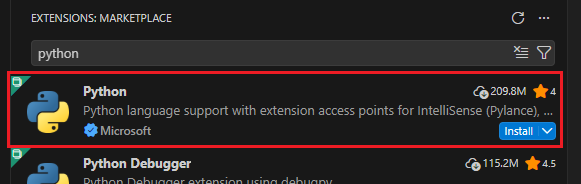
As @onePythonUser says, I think I just installed Python for VSC as an extension. It works fine.
But when you first run every .py file in VSC, you must choose the interpreter that file will use. VSC will ask you for the interpreter.
We are using Visual Studio 2026 and not Visual Studio Code. Does that make a difference?
Peace
Shawn
For Python support in Visual Studio (not VS Code), you need to do two things:
- Install Python. CPython from python.org or Anaconda are probably your best options.
- Install the “Python development” workload using the Visual Studio installer. You can also include web dev support, but do not install Python using the VS installer.
Ah, ok. Yes, there is a difference.
Here are the instrucitons for VS Studio:
- As before, install the
Python interpreterfrom Download Python | Python.org. - From
step 1in the link just provided:
- If you have
Visual Studioinstalled already, openVisual Studioand run the installer by selecting Tools > Get Tools and Features.
Proceed to follow remaining instructions in the tutorial.
Hope this helps!
Yes Visual Studio and Visual Studio Code are 2 different products. I don’t like that they have such similar names but there you go.
Thanks for the insight.
Thanks Paul.
Thanks Chuck.